













温馨提示:本文最后更新于
2024-04-27 15:19:51,某些文章具有时效性,若有错误或已失效,请在下方留言。有时候网站上的评论内容会涉及到不方便对外透露的信息,或者我就是只想让互评的双方看到,那么除了私信及站外联系,评论设为私密也是个不错的选择,关键是方便,话不多说直接看效果


教程如下
代码
记得将代码中的js文件替换成你的
js代码
$(function() {
  $(".links-card ul.list-inline img").each(function() {
    if ("" == $(this).attr("data-src")) {
      var a = "" + $(this).parent().attr("href");
      $(this).attr("src", a)
    }
  }), $(document).on("click", ".sm", function() {
    var a = $(this);
    if (a.hasClass("private_now")) return notyf("您之前已设过私密评论", "warning"), !1;
    a.addClass("private_now");
    var t = a.data("idp"),
      e = a.data("actionp"),
      n = a.children(".has_set_private"),
      r = {
        action: "mrhe_private",
        p_id: t,
        p_action: e
      };
    return $.post("/wp-admin/admin-ajax.php", r, function(a) {
      n.html(a)
    }), !1
  })
});
comments.php代码
位置是:/wp-content/themes/zibll/template/comments.php
<label class="but c-blue pw-1em" data-placement="top" data-toggle="tooltip" title="你的评论仅评论双方可见。" style="margin-bottom: 0px;">
                            <input name="is-private" type="checkbox">私密</label>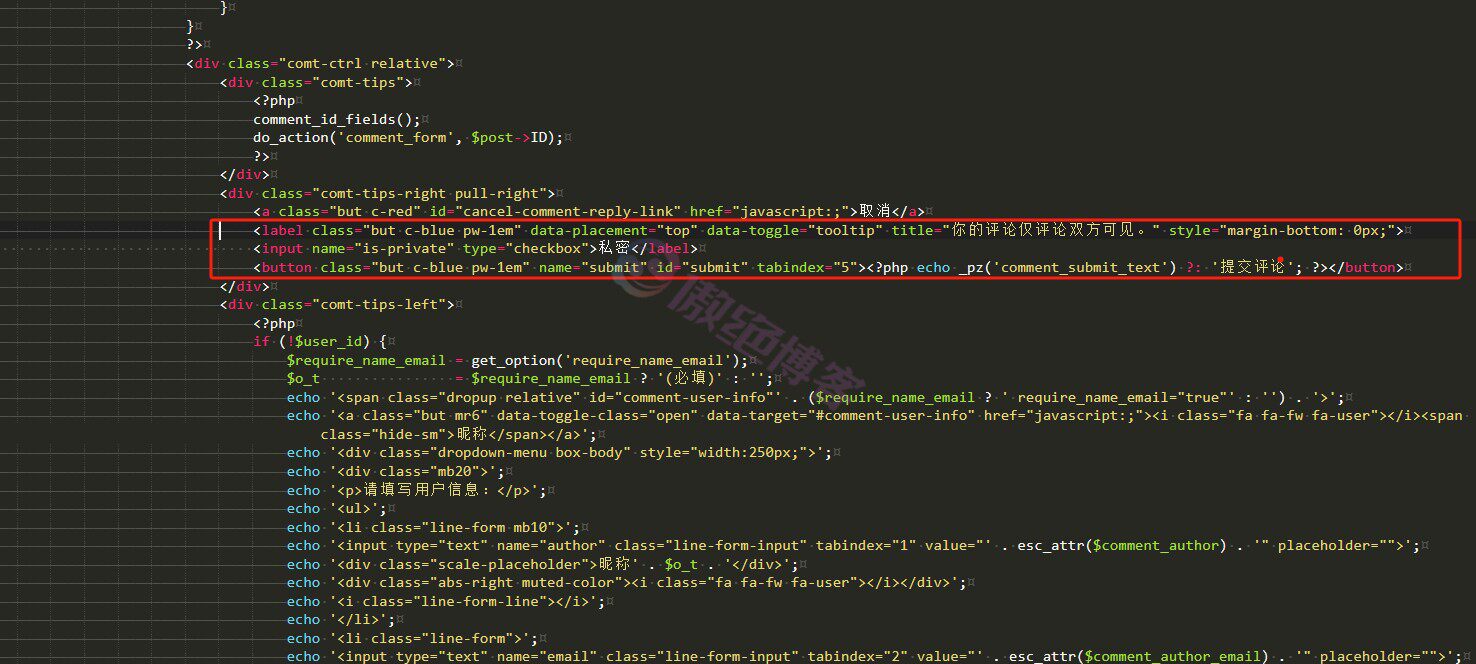
接下来就可以看到评论区就有私密的功能了,效果可以看本站的评论区
© 版权声明
THE END

















 酷盾安全提供安全防护服务


暂无评论内容